
Seedance 2.5 AI
Every video you create is yours to keep.
From a sketch or a storyboard to a finished clip
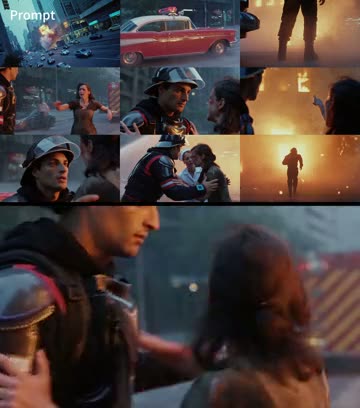
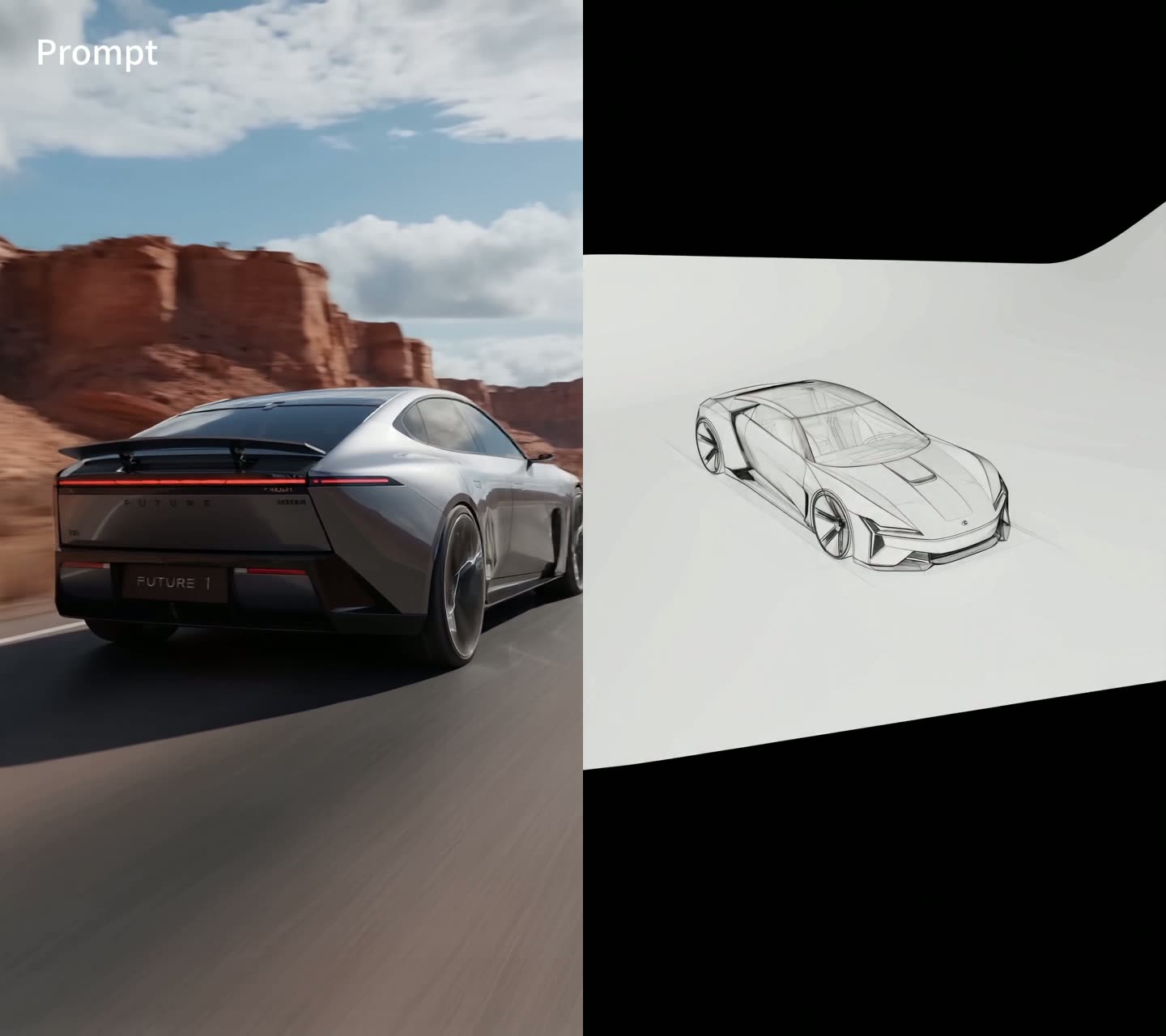
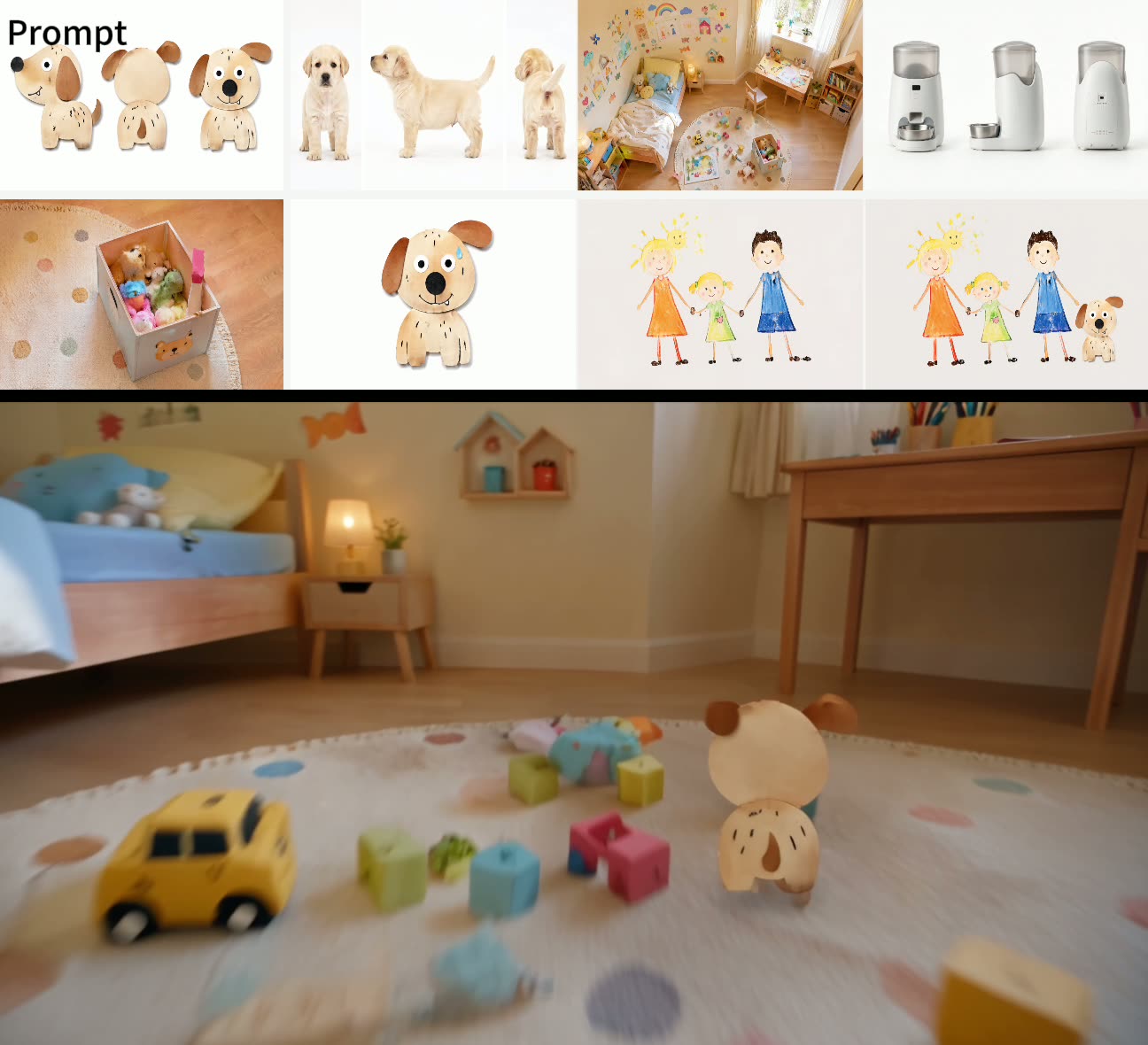
ByteDance made these clips to show what Seedance 2.5 AI does with input material. In the split ones, the source is on top or on the left and the result next to it. Tap a card to watch it with sound.
What Seedance 2.5 AI does well
Seedance 2.5 comes from ByteDance's Seed team and replaced Seedance 2.0 as its top video model in July 2026. The generator above runs it through an API next to Seedance 2.0, 2.0 Fast, 2.0 Mini and Google's Veo 3.1, so you can change models without retyping your prompt. Our page on AI video models compares all of them.
Long takes
One render runs anywhere from 4 to 30 seconds. That is room for a scene with a setup and a payoff, a full turn around a product or a chorus of a song, without gluing two clips together.
Sound in the same render
Speech, music, room tone and effects come out with the picture and line up with what happens on screen. Describe what you want to hear in the prompt, the same way you describe what you want to see.
Lots of references at once
Reference mode accepts up to 9 images, 10 short video clips and 10 audio files. A sketch can fix the design, a clip can fix the camera path and a track can set the beat.
Up to 1080p
Try ideas at 480p, post at 720p and keep 1080p for the version people will watch on a big screen. Higher resolutions use more credits per second, so the sharp render should be your last one.
Three ways to brief Seedance 2.5 AI
The model follows instructions closely, so the order and detail of a prompt matter more than clever wording. These patterns are a good place to start.
Write it as shots
List the shots in the order you want them: "Shot 1, wide: a firefighter runs toward a burning building. Shot 2, close-up: he carries a woman out of the smoke." For a long clip, say roughly how many seconds each shot should last.
Give the sound its own line
Put audio in a separate sentence: "Sound: sirens in the distance, heavy breathing, glass cracking." For speech, write the exact words in quotes and say who speaks them and in what tone.
Say what each reference is for
In reference mode, tap @Image1, @Video1 or @Audio1 to place the tag in your prompt, then explain its job: "Use @Image1 for the car design, follow the camera move in @Video1, keep the rhythm of @Audio1."
How to make a Seedance 2.5 AI video
Everything runs in the browser on a phone or a computer. Sign in first and keep enough credits for the length and resolution you choose.
Choose a mode
Text uses only your prompt. Image takes a first frame and an optional last frame. Reference takes images, video clips and audio files that steer the result.
Describe the clip and set it up
Seedance 2.5 is already selected. Set 480p, 720p or 1080p, a length from 4 to 30 seconds and the aspect ratio. With a first or last frame the ratio stays on Auto and follows your picture.
Render and keep it
The button shows the credits before you start. The video plays here when it is done and is saved under My Creations, so you can close the tab while it renders.
Text, image or reference: which mode to pick
The generator has three tabs. They all run the same model, but each one gives you a different amount of control over the result.
Text
Only a prompt. Use it when the idea matters more than an exact look: a scene, a mood, a short story. It is also the fastest way to find out how Seedance 2.5 AI reads your wording.
Image
A first frame and, if you want, a last frame. The clip opens on your picture and moves toward the end you set, which suits product shots, before-and-after reveals and turning a still into motion.
Reference
Images, clips and audio that guide the look, the movement or the sound, without being used as the opening frame. Pick it for a character that must look the same in every shot, a storyboard, or a beat to follow.
Seedance 2.5 next to the other models here
All four sit in the same generator and share the prompt box. When you switch, the length, resolution and credit options change to what that model supports. For a ready-made trend instead of a prompt, look at our AI video effects.
| Seedance 2.5 | Seedance 2.0 | Seedance 2.0 Mini | Veo 3.1 | |
|---|---|---|---|---|
| Clip length | 4 to 30 s | 4 to 15 s | 4 to 15 s | 8 s |
| Resolution | 480p, 720p, 1080p | 480p, 720p, 1080p | 480p, 720p | Set by mode |
| Reference clips | Up to 10 | Up to 3 | Up to 3 | None |
| Credits | Most per second | Mid-range per second | Fewest per second | Fixed per clip |
| Use it for | Long scenes, final cuts | Clips up to 15 s | Cheap tests | Quick 8-second shots |
Seedance 2.5 AI questions
What is Seedance 2.5 AI?
It is a video model from ByteDance's Seed team, released in July 2026 as the successor to Seedance 2.0. It turns text, images, short clips and audio into a single video of up to 30 seconds with sound. On this page it runs in the generator at the top.
Can I use Seedance 2.5 AI for free?
No. New accounts here do not come with free credits, and every clip is paid for in credits per second. The Generate button shows the exact amount before you start. To test prompts cheaply, switch to Seedance 2.0 Mini in the same generator, then render the keeper on the newer model.
How long can one clip be?
From 4 to 30 seconds per render, in whole seconds, which is twice the 15-second limit of Seedance 2.0. For something longer, render two clips and use the last frame of the first one as the first frame of the second.
Does it make videos with sound?
Yes. Voices, music, ambience and effects are generated together with the picture. Write the sounds into your prompt and put spoken lines in quotes. In reference mode you can also upload a track for the clip to follow, and audio references cost no extra credits.
What can I upload as a reference?
Up to 9 images such as photos, drawings, product shots or a storyboard, up to 10 clips in MP4 or MOV, and up to 10 audio files in MP3 or WAV. Each clip needs at least 2 seconds, and all clips together can run up to 30 seconds. Only upload material you own or are allowed to use.
How is it different from Seedance 2.0?
Seedance 2.5 doubles the length to 30 seconds and takes more reference clips, 10 instead of 3. ByteDance also says motion and faces stay steadier through a long take. Seedance 2.0 uses fewer credits per second and is plenty for clips of 15 seconds or less.
Do any Kirkify effects run on this model?
Yes. The Standard and HD versions of Bulin 47 AI and Burning Bridges AI are rendered with Seedance 2.5. You upload one photo and the effect puts you into the viral clip, no prompt needed.
Is this the official Seedance website?
No. Kirkify AI is an independent site that runs Seedance 2.5 AI through an API, and it is not affiliated with ByteDance, which develops the model. If a render fails or is filtered, you are not charged for it.

Write your first 30-second scene
Start with a short 480p test, then let Seedance 2.5 AI run the full length with sound.